
Merchant Accounts
Integrate with a variety of payment gateways and alternative payment methods for easy checkout processing.
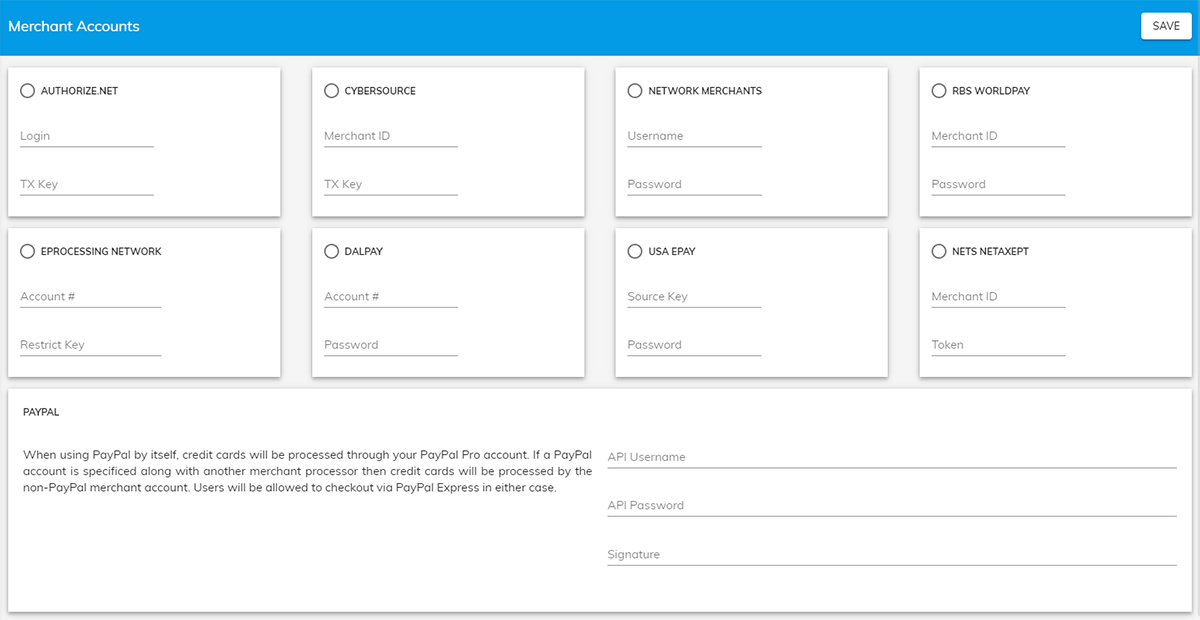
The ability to integrate with a variety of payment gateways and alternative payment methods makes the PrintNow Checkout process easy for your customers. Enter credentials provided by merchant under Settings/Merchant Accounts.
We are using production servers so make sure that is set when working with your merchant account. Also under Settings/General Settings Enable "Credit Card" payment method as well as other related methods. Test with a small transaction to make sure your account is ready to receive payments. From your Admin, go to Print Store>Settings>Merchant Accounts.
| Payment Gateway | Required Credentials |
|---|---|
| Authorize.NET | Login and TX Key |
| Cybersource | MerchantID and TX Key |
| Network Merchants | Username and Password |
| RBS Worldpay | Merchant ID and Password |
| EProcessing Network | Account# and Restrict Key |
| DalPay | Account# and Password |
| USA Epay | Source Key and Password |
| Nets Netaxept | MerchantID and Token |
| Paypal | API Username, API Password, Signature |
Checkout Styles
Print Store checkout redesign features Bootstrap 4 framework, Angular development, and extensive customization options for branding and design.
Promotion Codes
Offer customers fixed value, percentage, or shipping discounts on product categories with customizable usage limits and requirements.