
Tax/VAT Settings
Configure tax collection by state or zip code, set tax rates, and manage tax-exempt users.
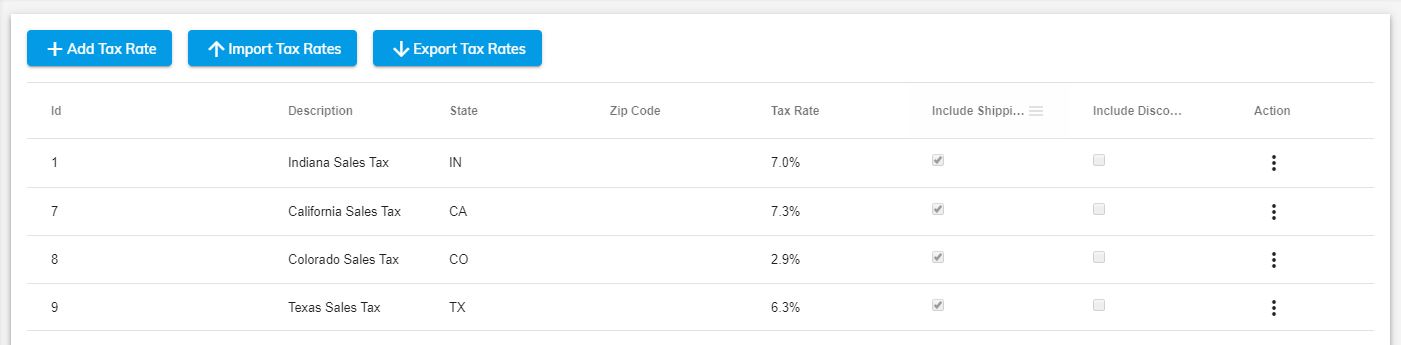
As a merchant, you might need to charge taxes on your sales, and then report and remit those taxes to your government. You can set up the Print Store to collect tax by State or Zip codes. Users and User Groups can be set up for tax exempt.
- From your Unified admin, go to Print Store>Settings>Tax/Vat.
- To add a new Tax Rate click +Add Tax Rate button. See Options below to create your tax rate entry and click Save to Save.
- To export tax rates to excel click Export Tax Rates button.
- To import tax rates from excel click the Import Tax Rates button.
Tax Vat Settings
| Field | Description |
|---|---|
| Description | Add a label to identify what the tax entry applies to. |
| State | Choose State to collect tax when shipping address state matches. |
| Zip Code | Enter Zip Code to collect tax based on specific Zip codes. |
| Tax Rate | The rate of tax to be collected. For example "7" will be 7% of order including shipping and discounts if selected. |
| Including Shipping | Enable "Include Shipping" option if shipping should be calculated in the total sale. |
| Include Discounts | Enable "Include Discounts" option if discounts should be calculated in the total sale. |