
Shipping Methods
Configure shipping methods with live rates from FedEx, UPS, or USPS, or set up fixed shipping rates for your Print Store.
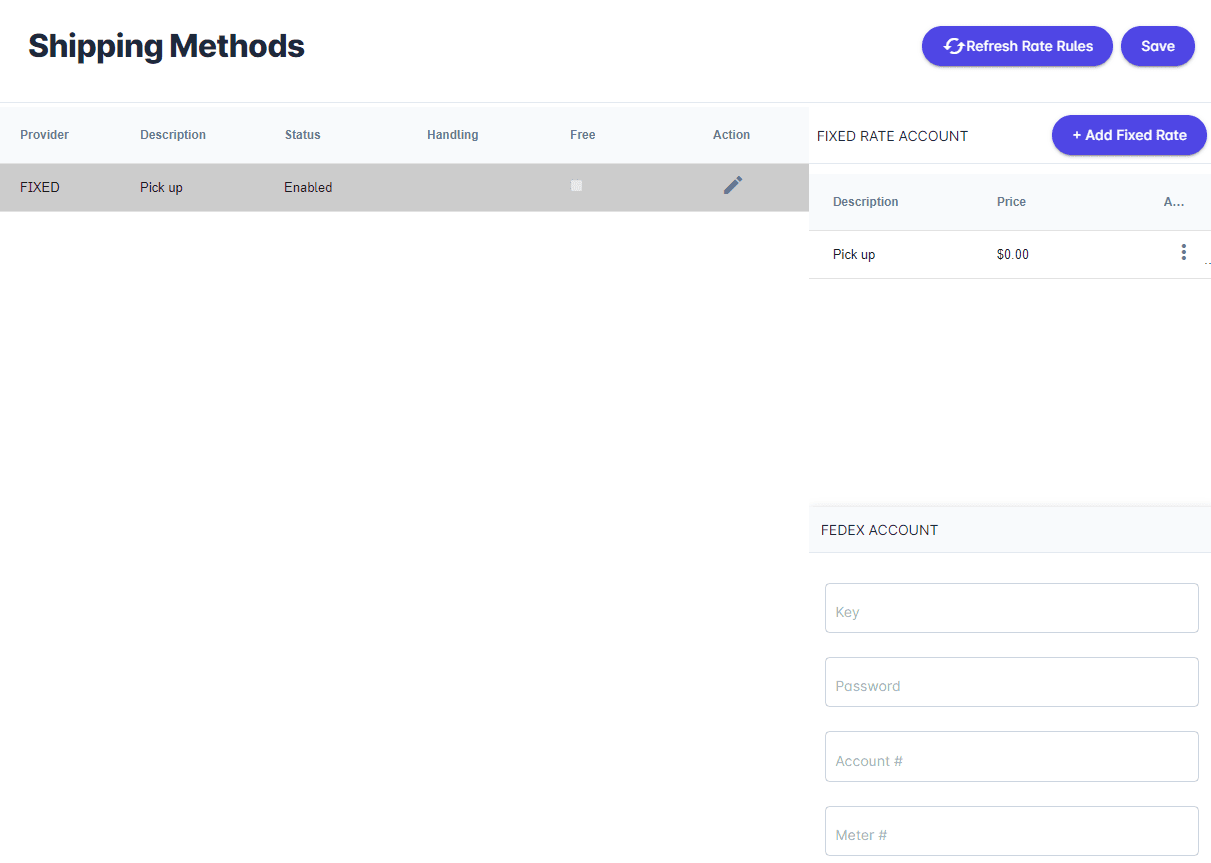
The Shipping Methods page provides a way to integrate into Fedex, UPS or USPS servers to return live retail rates and configurable options. The system reads the ship to zip code as well as both the base price tables and order options tables to calculate the total weight and price. You can also configure the system to use fixed rates in combination with live rates or by itself.
Configuring Fixed Rates
Use Fixed Rates to define manual shipping methods.
**Configuring a Fixed Rate **Fixed rates can be used in combination of live rates or by themselves. To add a fixed rate option click "Add Fixed Rate" and enter the description label that will show online as well as the price.
- From your Unified admin, go to Print Store>Settings>Shipping Methods.
- Click +Add Fixed Rate to add a manual entry.
- Click Refresh Rate Rules to pull in shipping provider options.
- Click Edit to Enable what options you want to offer and Disable what options you want to hide from Print Store options.
Configuring Live Rates
Contact your shipping providers to apply for access to live rates API.
- https://www.fedex.com/en-us/developer.html
- https://www.ups.com/upsdeveloperkit
- https://www.usps.com/business/web-tools-apis/
When you receive your account credentials enter them into the providers panels provided on the page and save changes.
- From your Unified admin, go to Print Store>Settings>Shipping Methods.
- Enable chosen Live Rates shipping providers by entering account credentials.
- Click Refresh Rate Rules to pull in shipping provider options.
- Click Edit to Enable what options you want to offer and Disable what options you want to hide from Print Store options.
FedEx Account
Enable FedEx live rates API.
| Field | Description |
|---|---|
| Key | Provided by FedEx |
| Password | Provided by FedEx |
| Account# | Provided by FedEx |
| Meter# | Provided by FedEx |
| Pickup Code | Choose option that applies |
| Rate Type | Charge Retail (list) rates or Wholesale (Account) rates |
UPS Account
| Field | Description |
|---|---|
| Access ID | Provided by UPS |
| User ID | Provided by UPS |
| Password | Provided by UPS |
| Pickup Code | Choose option that applies |
| Rate Type | Choose charge type |
| Shipper Number | Provided by UPS |
| Shipper State | Where it is being shipped from (2 character state abbreviation) |
USPS Account
| Field | Description |
|---|---|
| User ID | Provided by USPS |
| Password | Provided by USPS |
Shipping Defaults
| Field | Description |
|---|---|
| Postal Code | Enter postal zip code for calculations |
| Country | Enter country for calculations |
| Max Packaging Weight | Enter the heaviest weight of the package |
| Shipping is free for all orders | An override to zero out all shipping costs |
| Box Compacting | Optimize box sizes for shipping |