
Error Log
Track errors generated and posted to PrintNow servers with filtering and search capabilities.
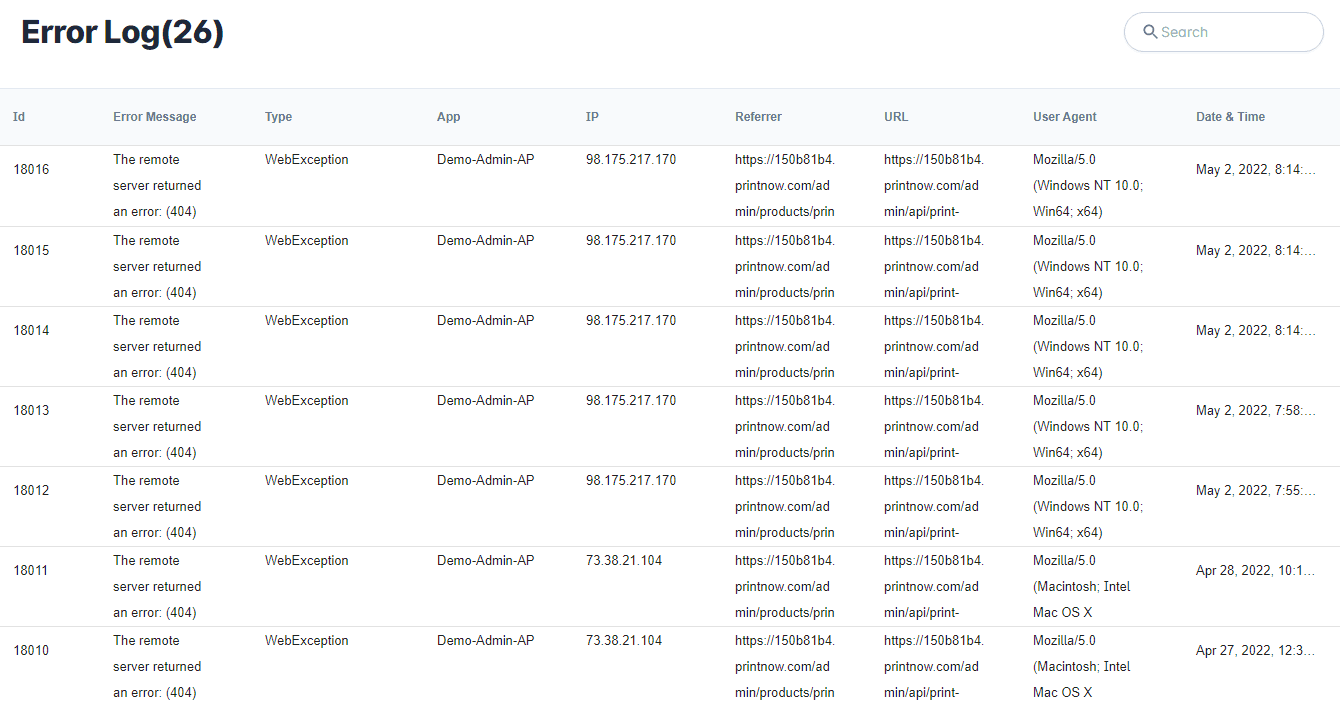
The Error Log was created for customers to track errors generated and posted to PrintNow servers. We show the last 7 days of errors and provide ways to filter and search by Id, Error Message, Type, App, IP, Referrer, URL, User-Agent, & Date & Time.
Search Error Log
- From your Unified admin, go to Print Store>Settings>Domain Tools>Error Log.
- From the Error Log page, your log will be filtered by default from newest to oldest errors.
- You can filter by ascending and descending order by clicking on the header column.
- You can search by keyword in the search box on top of the page.
Id
The unique error id
Error Message
The actual error message returned from the server
Type
The type of error message returned from the server
App
The actual app bindings
IP
The IP of the user that received the error
Referrer
The page you came from before the error
URL
The page the actual error was generated on
User Agent
What the user was using when error accured
Date & Time
The data and time of the error