
Store Clone
Clone an existing Print Store to a new domain with customizable settings for store, pages, pricing, checkout, and editor configurations.
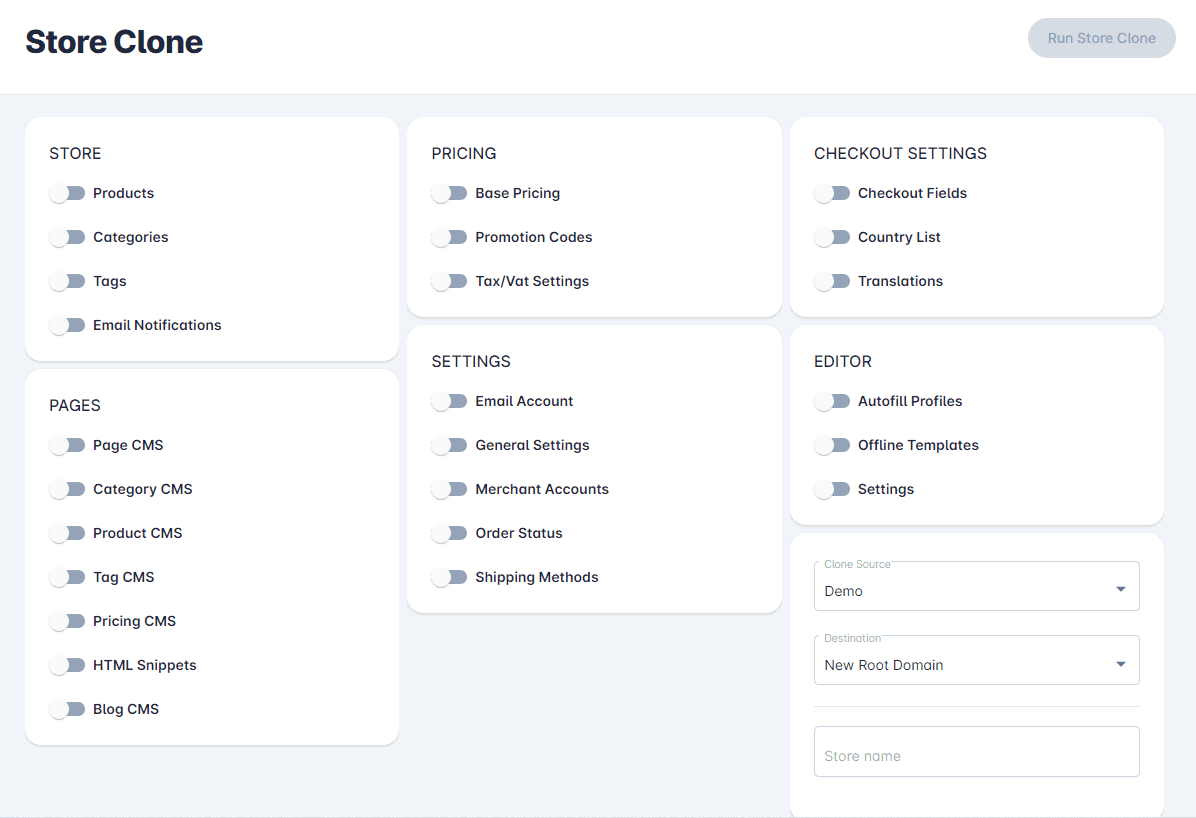
New store clone feature application to copy any existing Print Store to a new root domain or subdomain
Print Store clone features
- Added Store Clone page at Print Store>Settings>Domain Tools>Store Clone
- Added Store toggles: Categories, Tags, Email Notifications
- Added Pages toggles: Page CMS, Category CMS, Product CMS, Tag CMS, Pricing CMS, HTML Snippets, Blog CMS
- Added Pricing toggles: Base Pricing, Promotion Codes, Tax/Vat Settings
- Added Settings toggles: Email Account, General Settings, Merchant Accounts, Order Status, Shipping Methods
- Added Checkout Settings toggles: Checkout Fields, Country Lists, Translations
- Added Editor toggles: Autofill Profiles, Offline Templates, Settings
- Added Clone Source selection
- Added Destination Print Store location
- Added Store name