
Tag Content
Add and control custom content on tag pages with the Tag CMS editor.
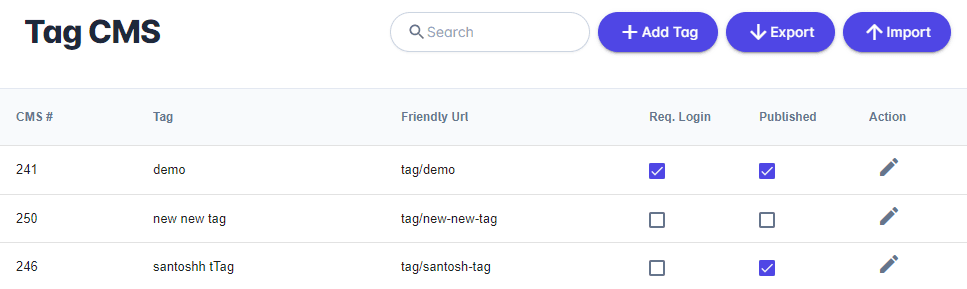
The Tag CMS allows you to add and control content to tag pages assigned to products. By default a tag page will include a product browser and attributes you define. If you want to add content above the product browser to customize each tag page you can. From your Unified admin, go to Print Store>Content>Tag Content. To add a new page, click "+Add Tag". To edit an existing category page click Actions Icon.
Design & Code Editors
PrintNow offers rich HTML editing software for fast development with developer and user experience in mind. Our products are the building blocks for creating and editing beautiful content easier and faster.
Tag Details
| Field | Description |
|---|---|
| Layout | Choose from the dropdown menu. |
| Req. Login | Choose to require user to login. |
Tag SEO
| Field | Description |
|---|---|
| Title | Page title. |
| Keywords | Strong keywords will help your page perform well with SEO. |
| Description | Page description. |
| Friendly URL | A URL that is both readable to users and search engines. |